
Apex Cheats plans: week, month, and lifetime
Compare Apex Cheats at $15 weekly, $35 monthly, and $150 lifetime, plus separate Cloud DMA and HWID Spoofer prices.
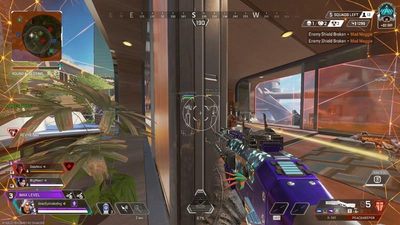
Apex Cheats has three USD plans for the main Apex Legends product on Windows PC. Weekly is $15 for 7 days (P7D). Monthly is $35 for 30 days (P30D). Lifetime is $150 (P99Y). The listed modules are the same on each plan: player ESP, advanced aimbot, weapon ESP, health bar, distance ESP, box ESP, skeleton ESP, loot ESP, no recoil, and radar. You are choosing time, not a secret feature tier. The store is the page with the buttons. This article only explains the choice.
Cloud DMA and HWID Spoofer are not included in those three prices. Cloud DMA is $15 weekly or $50 lifetime. HWID Spoofer is $15 weekly or $35 monthly. Each product has its own Buy now link. A button on the Apex Cheats card must not send you to the spoofer checkout, and the reverse is also true. You do not have to buy all three. The site does not claim they must be used together, and it does not claim any of them bypass Easy Anti-Cheat.
How to choose a duration
Pick weekly if you want a short look at the current build and you accept that a patch can land during those seven days. Pick monthly if you want a full 30 days to learn ESP and loot or radar without committing to lifetime. Pick lifetime if you already know you want long access and you understand that lifetime does not freeze compatibility. Status can still tell you to wait after an update. The anti-cheat page explains why no plan is an undetected promise.
“Best” is not a plan name. The best fit is the shortest duration that matches how sure you are. A new player who is still learning characters, maps, and ranks may not want lifetime on day one. The game itself is free. The plans are only for the third-party listing.
| Product | Options | Checkout |
|---|---|---|
| Apex Cheats | $15 week, $35 month, $150 lifetime | Apex Cheats only |
| Cloud DMA | $15 week, $50 lifetime | Cloud DMA only |
| HWID Spoofer | $15 week, $35 month | HWID Spoofer only |
What you should see at checkout
The in-page price should match the button you pressed. If a card says $35 and the next page shows a different product name, go back. Keep the order email. Support can only find a purchase with that address. Setup notes for Windows, Steam, and the EA App are on the setup page and in the PC guide. Shader compiles are a game-client wait, not a plan upgrade.
Feature pages are the spec: aimbot, ESP, and the overview. A macro script is not a plan. Skins, rank, and player count are not delivered by checkout. Those topics stay on skins, ranks, and player count. Buying lifetime does not raise your rank or add a tracker.
- Same cheat features on week, month, and lifetime
- Related products have separate prices
- Lifetime does not freeze status
- Match the button to the product name
- Keep the order email for support
After you pay
Follow the vendor instructions, then confirm status again if a game update landed while you were checking out. Start with a readable ESP profile. Add combat options only if you meant to. If something fails, include Windows version, client type, and the exact message. Do not buy a second product hoping it fixes a setup step the first product’s notes already cover.
The FAQ repeats the ban risk in plain language: third-party tools can conflict with Easy Anti-Cheat and the game’s terms. Plans do not insure an account. The release page is there if you only needed the 2019 date. The preview is there if you wanted to see how overlays are presented before you spend either $15 or $150. Choose the page that matches the question, then use the store only when the question is purchase.
A short checklist
Read features. Read status. Choose week, month, or lifetime for Apex Cheats, or stop if you are not buying. If you also want a related product, open that card and use its button. Save the receipt email. Launch the official Apex Legends client on PC, let shaders finish, then follow setup. Re-check status after the next season patch even if you bought lifetime. That checklist is the whole commercial side of this site, without a ranking claim and without a detection promise.
Say the product name out loud
Before you pay, say which card you are on: Apex Cheats, Cloud DMA, or HWID Spoofer. Then say the price you expect. If the next page does not match both, stop. This sounds tedious until a mis-click bills the wrong duration. Weekly and monthly are easy to confuse because both can be $15 on different products. Apex Cheats weekly is $15 and its monthly is $35. HWID Spoofer weekly is $15 and its monthly is $35 as well, but it is not the same product and it does not include the overlay. Cloud DMA’s second price is a $50 lifetime, not a $150 lifetime. Reading the noun is the whole safety check.
After the noun matches, decide whether today is even a buying day. If the game client is mid-update or status says to wait, the plan can wait too. A week you spend on a shader bar and a locked build is a bad use of $15. Lifetime is a worse match for a day you are unsure. Nothing in checkout changes Easy Anti-Cheat, your rank, your skins, or the map you drop on. It changes which listed software you are allowed to download from the vendor, for how long, on Windows PC. If that sentence is enough, you are ready. If you wanted a different sentence, you are on the wrong site. Read the product name twice, then press the button.