
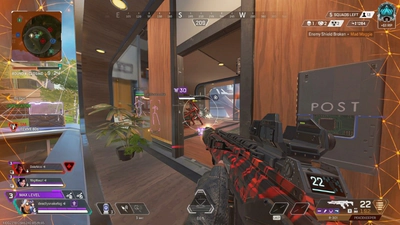
Apex Legends shaders taking forever on PC
Apex Legends download on PC, shaders taking forever, why shaders take so long after an update, and Apex Cheats setup order.
Apex Legends on PC is the Windows client this product supports. You can install it from Steam or the EA App. The search apex legends download is that install, not a loader from a forum. Use the official store page, then let the client finish updating before you add anything else. Apex Cheats setup, described on the setup page, starts only after the game itself launches cleanly.
macOS, Linux, and consoles are not listed. Apex Legends mobile is a separate history, covered in the release guide, and it is not this build. If a page offers an Android file and calls it the PC cheat, close it. The plans on the store are for the Windows listing only.
Why shaders take so long
Players search apex legends loading shaders taking forever and why do apex legends shaders take so long to load because the first launch, a big update, or a GPU driver change can sit on a compiling screen for a long time. The client is building cached shaders so matches stutter less later. That wait is annoying and, on a large season patch, it can be several minutes. It is not proof that the install failed, and it is not something an overlay toggle speeds up.
Practical checks that stay honest: install on an SSD if you can, let the compile finish, avoid killing the process halfway, and do not stack a driver update and a season patch in the same hour unless you have time to wait. If the bar is moving, it is usually working. If it is stuck with no disk or CPU activity for a very long time, repair the game from Steam or the EA App before you look at third-party software. This site will not invent a secret shader fix.
Order of operations
Update Windows, the GPU driver, and the game. Confirm you can reach the lobby and a firing range. Read status. Then follow vendor notes from checkout: weekly, monthly, or lifetime access for Apex Cheats. Enable a short-range player ESP profile first. Add loot or radar only if the first profile is readable. Leave aimbot off until you have decided you want that risk.
Save the profile and a panic key before a live match. If the overlay looks wrong after a patch, do not keep toggling random options. Re-check status, and assume compatibility changed until it is confirmed. Easy Anti-Cheat context is in the anti-cheat article. There is no bypass claim in that article or in this one.
- Install Apex Legends from Steam or the EA App
- Let shader compiles finish
- Repair the client before blaming an overlay
- Read status before first launch of the product
- Start with a short-range ESP profile
Performance versus overlays
A busy ESP layout costs attention and can cost frames. Turn skeleton lines and long-range loot off if the PC is already near its limit. The game’s own settings, especially shadows and effects, matter more than a cheat menu for raw FPS. Player count and server load do not change your GPU, but a crowded drop still feels worse. Population context is on the player count page.
Map changes and new POIs do not change these steps. When rotation moves, relearn the space with the maps guide after the client is stable. A new legend does not change the install path either. Read characters in the lobby, not during a shader bar.
What to send support
If checkout completed and the game still will not cooperate, contact support with the order email, Windows 10 or 11 build, Steam or EA App, and the exact error text. Do not include a request for a bypass. Related products, if you bought them, need their own order details: Cloud DMA and HWID Spoofer are separate checkouts.
Prices for the main cheat stay $15 for a week, $35 for a month, and $150 lifetime, summarized on the plans page. A long shader compile is not a billing issue. Let it finish, then decide whether the store listing is what you meant to buy. Skins, ranks, and pick rates will still be there after the bar completes.
A setup afternoon that does not lie to you
Block two hours the day you install or the day a season patch lands. The first hour may be the download and the shader bar. The second hour is a firing range and one pub, with no third-party software, so you know the official client is fine. Only then read status. If you compress this into ten minutes, you will blame the wrong program when the screen stalls. Note your GPU, Windows build, and whether the game is on an SSD. Those three facts answer most support questions before you type them.
If the shader bar completes and the lobby is smooth, you have a baseline. Any stutter you add later can be compared with that baseline. Lower the game’s own effects before you blame an overlay. Cap the frame rate if the PC is thermal-throttling. Then, if you still want the listed tools, enable one layer and play the same POI you just learned. Change one thing at a time. A profile with eight new toggles and a new driver is not a test. It is a pile of variables, and it wastes the weekly plan you bought to evaluate a single question.
Store the installer paths you trust: Steam, the EA App, and the checkout email. Do not store a loader someone pasted. When the mobile shutdown comes up in an old comment, ignore the file attached to it. The PC client from 4 February 2019’s live successor is the only game this setup describes. Consoles can play Apex Legends. They cannot use this Windows listing. That limit is dull and final, which makes it a good sentence to remember before you pay.