
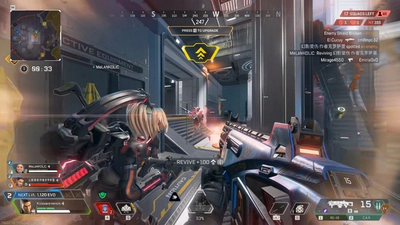
Loot ESP and radar in Apex Legends
How loot ESP and radar are described for Apex Legends, and how they differ from player ESP and aimbot.
Loot ESP and radar answer two different questions. Loot ESP is about items on the ground: a battery, an attachment, a weapon you still need for a set. Radar is about nearby players in a compact view so you are not covering the whole screen in boxes. Both are information tools. Neither one is the advanced aimbot, and neither one replaces player ESP when you actually need a body marker.
Apex Legends loot is noisy in the first minutes of a match and again after a fight, when deathboxes open. A loot layer with no filter will paint every bin. If the build lets you filter by item type or range, use that before you complain that the overlay is busy. The features page is the list of what is included. This article only explains how to think about those two modules.
Loot without losing the fight
Use loot ESP while you are pathing, then turn the noisiest item labels down when a squad is close. Distance ESP helps here because a shield swap two buildings away is not the same decision as a shotgun on the floor in front of you. Weapon ESP on players is separate from weapon names on the ground. Keep those labels visually different if the menu allows colors.
A loadout set is a player goal, not a cheat feature. People search “set” because they want a finished kit: sight, mag, stock, and heals. Loot labels can shorten the search. They do not craft materials for you, and they do not know which gun is strongest after a balance patch. Read patch notes for weapon changes. Read characters if the legend you picked wants a specific range.
Radar as a local cue
Radar is useful when box ESP would hide the world. A small radar with a short range tells you that someone is near a door or above a zip line. It is a bad idea to stretch it across the whole map and then ignore the ring. Maps and rotation still decide where the zone wants you. Radar does not draw the next circle early unless that option is actually listed, and this site does not invent a zone hack.
Vertical fights are the hard case. A radar dot without height can send you into the wrong floor. Pair it with distance and, when you need it, skeleton or box ESP for the player you are already fighting. Turn the extra layers off again when the fight ends so looting stays readable.
- Loot ESP is for ground items
- Radar is for nearby players
- Filter range before a hot drop
- Do not confuse loot names with weapon ESP
- Ring and map knowledge still matter
PC performance and status
A busy overlay costs attention, and on some PCs it also costs frames. If Apex Legends is already spending a long time on shaders, fix that first. The PC guide walks through the usual shader wait after an update or driver change. Do not stack a new loot profile on a client that has not finished compiling.
Compatibility can change after a season update. Check status and the anti-cheat notes. Easy Anti-Cheat is the published system. This page does not claim loot ESP or radar is undetected. Account risk is real with any third-party tool, which is also why the FAQ tells you to stop if status marks a build unavailable.
Where this sits in the store
Loot ESP and radar are part of Apex Cheats, the main product, at $15 weekly, $35 monthly, or $150 lifetime. They are not a reason to buy Cloud DMA or HWID Spoofer unless you were already comparing those separate listings. Each Buy now button goes to its own checkout.
If you are still choosing a legend, a rank goal, or a public stats site, those are different jobs: characters, ranks, and player count and trackers. Come back to the store when you want the product, and to plans when you only need the duration explained.
Two profiles, one match
Build a loot profile and a fight profile instead of one screen that tries to do both. The loot profile can show ground items and a short radar. The fight profile can hide item text and keep player distance. Switching is a second of menu time and a much clearer third party. If your PC stutters when both are on, the fight profile should be the one you trust when damage starts. Frames you can feel are worth more than a battery label you cannot reach.
Practice the switch on a drop you know. Land, mark the guns you need, then turn item range down before you leave the POI. When a radar dot appears without a matching box, treat it as a prompt to look, not as a license to swing wide into a building you have not cleared. Height still fools a flat radar. Use distance and, if needed, a box before you burn a cooldown. After the fight, the loot profile earns its place on the deathbox, where item names matter again.
Write the ranges you kept into a note beside your order email. If a patch clears the config, you want those numbers back without watching a ten-minute settings video. And if status tells you the build is down, both profiles stay off. Radar and loot labels are convenient. They are not an exception to the same compatibility rule as the rest of Apex Cheats. Related hardware or spoofer listings do not change that rule and are not part of this module pair. One quiet loot pass and one quiet fight pass are enough for a first opinion of both tools. Name both profiles before you queue.